Magic Launcher - An OS-free Desktop
A lightweight, retro-styled application launcher designed for low-spec systems.
View on GitHub →This is a personal project, not a commercial product.
What is Magic Launcher?
Magic Launcher is a simple, keyboard-friendly interface for organizing and launching applications, scripts, and URLs. Inspired by the clean, efficient DOS-era menu systems, it brings a touch of retro computing to modern low-spec environments, making it ideal for older hardware, virtual machines, or simply for those who appreciate minimalism and speed.
It's designed to be intuitive and quick, allowing you to manage your digital life without unnecessary bloat. Whether you're launching your favorite games, running custom scripts, or opening web links, Magic Launcher streamlines your workflow.
Like it says on the tin, if with a little exaggeration I admit, it is a minimalist, OS-free desktop environment that runs on any system with Python.
Key Features
Easy to navigate with mouse or keyboard
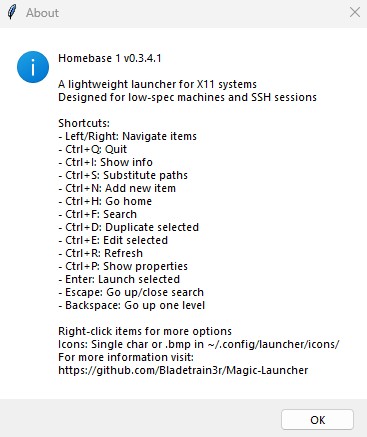
Navigate and launch applications purely with your keyboard for maximum efficiency, help a simple Ctrl+I away.
Lightweight & Low-Spec Friendly
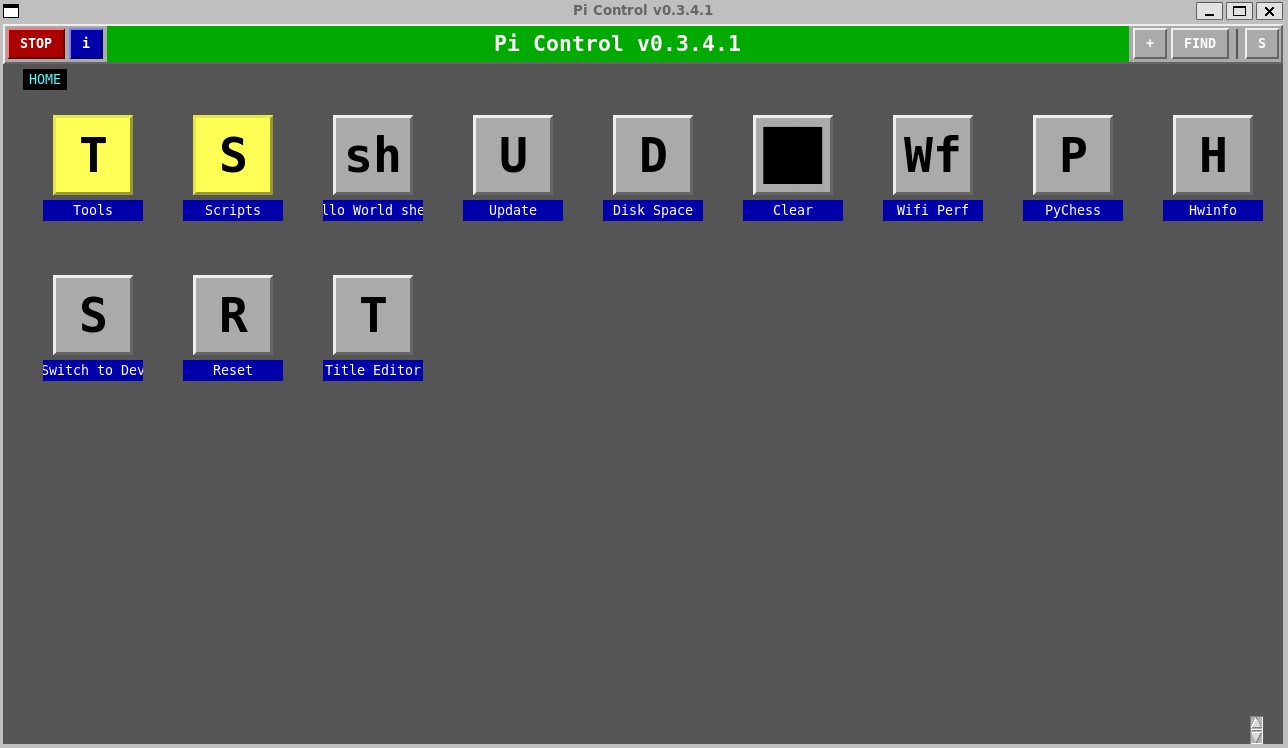
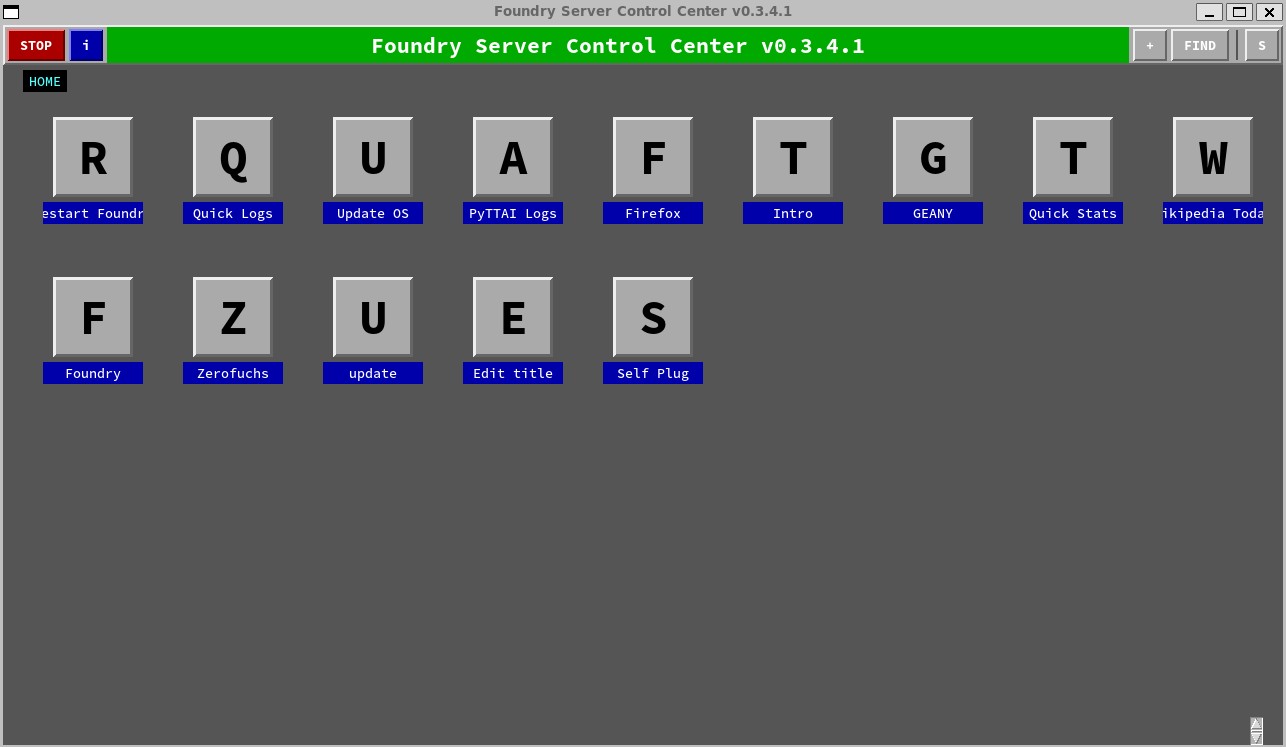
Designed with minimal resources and dependencies, making it perfect for older machines, Raspberry Pis, or virtual environments.
Versatile Launch Options
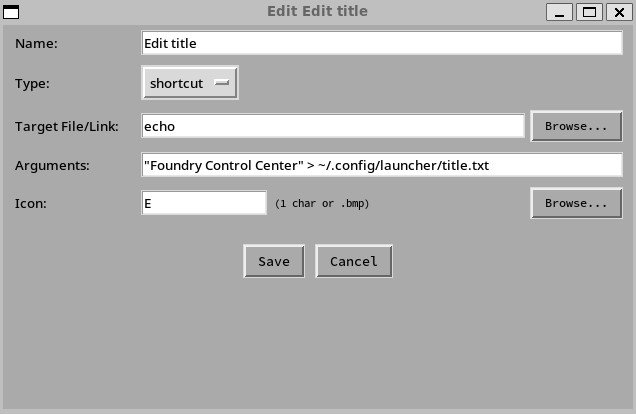
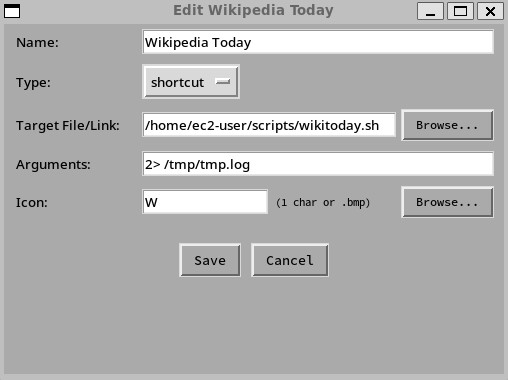
Launch executables, batch files, shell scripts, and even web URLs with custom arguments, shell operators, and working directories.
Configurable & Customizable
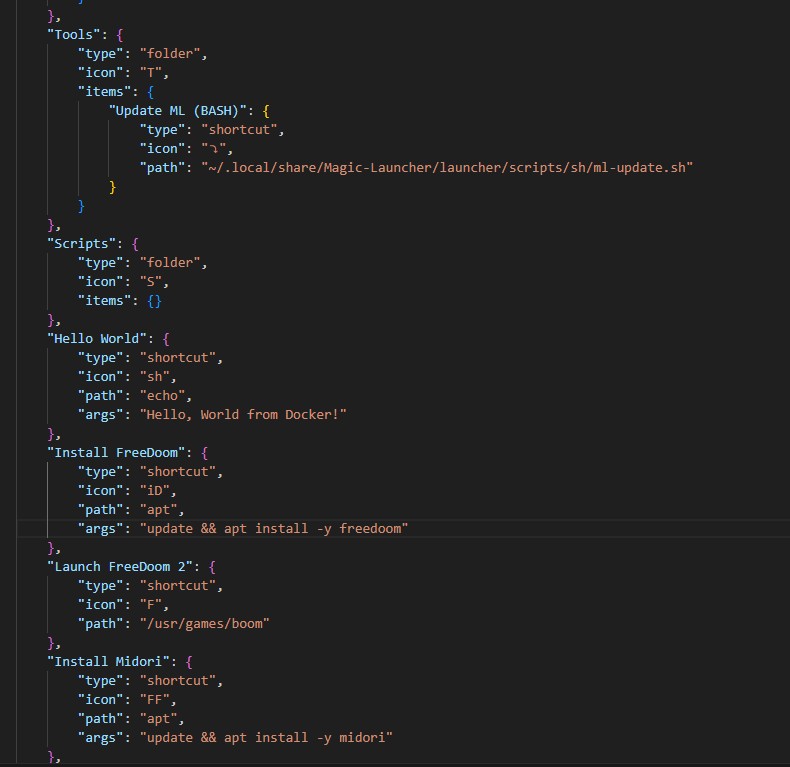
All shortcuts stored in a single file, minimum config complexity to bloat your setup.
Crazy Lightweight, Crazy Flexible
Magic Launcher is designed to be incredibly lightweight, with a minimal footprint that allows it to run on virtually any system. Less RAM than a modern L3 cache? GPU get the short end of the stick? No problem!
Lightweight and Blazing Fast
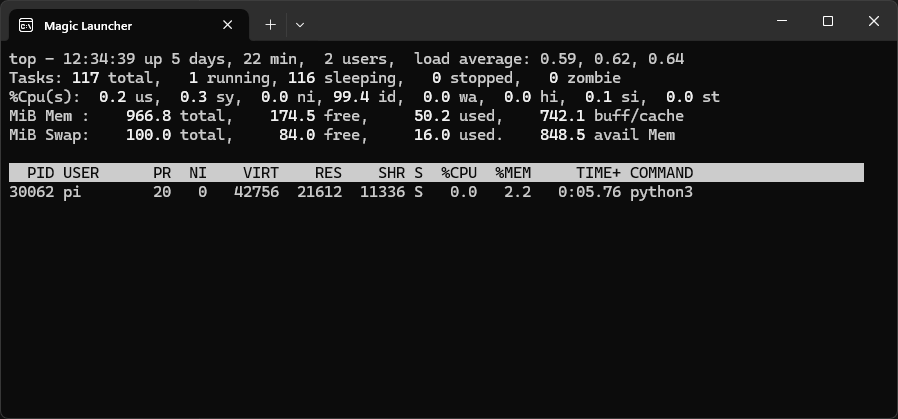
Pi users, rise up!
Any Command you can Think Up
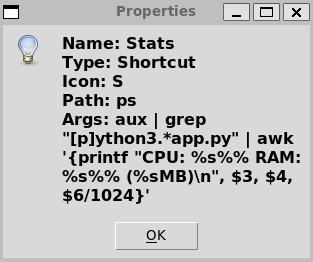
It may even work!
Installation
To install Magic Launcher, you only need Python and it's commonly available Tkinter Library as a dependency. You can then clone the repository and run it with Python. No complex setup required. It runs on any system with Python installed, making it incredibly versatile.
                git clone https://github.com/bladetrain3r/Magic-Launcher.git
                cd magic-launcher/launcher
                python app.py
Quick Demos
Start fast, run fast, keyboard or mouse.
Scan and import applications or files with simple scripts and a single shortcut.
Install it on anything with one git clone, run it with Python instantly. Paste a one liner and you're running.
As far as the OS is concerned it's any other app - tile it, multitask it, alt tab it, or move it between desktops seamlessly.
Beyond Basic Launching
Magic Launcher isn't just for simple shortcuts. Its flexibility opens doors to more advanced use cases, especially for managing complex environments or exploring unique deployment strategies:
- Game Version Management: Easily switch between different versions of games (e.g., DOS Quake, Winquake, source ports) or load custom map packs with specific arguments.
- Application Orchestration: Launch various DOOM source ports (Crispy, Choco, GZDoom, Woof, Helion...) easily host and manage servers like Odamex or Zandronum.
- Containerized Workflows: Imagine launching applications from Docker containers, or even chaining execution across different environments like WSL, Raspberry Pi, or EC2 instances.
- Secure & Ephemeral Browsing: Configure launchers for containerized browsers (Firefox, Chromium) with pre-populated bookmarks, potentially integrating with Tor or VPNs for enhanced privacy.
- Seamless Sidecar: Launch alongside your application stack in a sidecar container, allowing for easy management of services from within the container network.
- DevOps Utility: Use it to manage local development environments, spin up containers, retrieve logs, run status checks, and even trigger updates for remote servers.
- Custom Scripts & Automation: Create shortcuts for scripts that automate tasks, such as backups, system monitoring, or even launching complex workflows with multiple dependencies.
- Remote Management: Use it to manage remote servers or virtual machines, allowing you to execute commands or scripts without needing a full-fledged GUI.
- Educational Tools: Set up a learning environment where students can launch different programming environments, tools, or simulations with ease.
- Personalized Dashboards: Create a personalized dashboard that aggregates your most-used applications, scripts, and web links, all accessible from a single interface.
Magic Launcher provides the foundation for these and many more creative solutions, allowing you to tailor your computing experience precisely. Please experiment, share your configs (those which are not personal), and let me know how you use it. I'd love to hear how it works for you - please send an e-mail to zerofuchssoftware@gmail.com